
Visibility & Sharing
Every community work carries a visibility setting, chosen by its author through Who can see this. Nothing a community writes becomes visible beyond itself until the author decides it should.
The Three Tiers
Draft
Only your community and Atlas admins can see this.
Where a work starts, and where it stays while it is being written.
Community only
Visible to people with access to this territory.
Shared within the territory without being published to the basin.
Public
Visible to anyone who visits the Atlas.
Readable without an account, and the only tier that can be shared by link.
A work can move between tiers at any time, in either direction. Publishing is not irreversible — a public work can be returned to community only or back to draft.
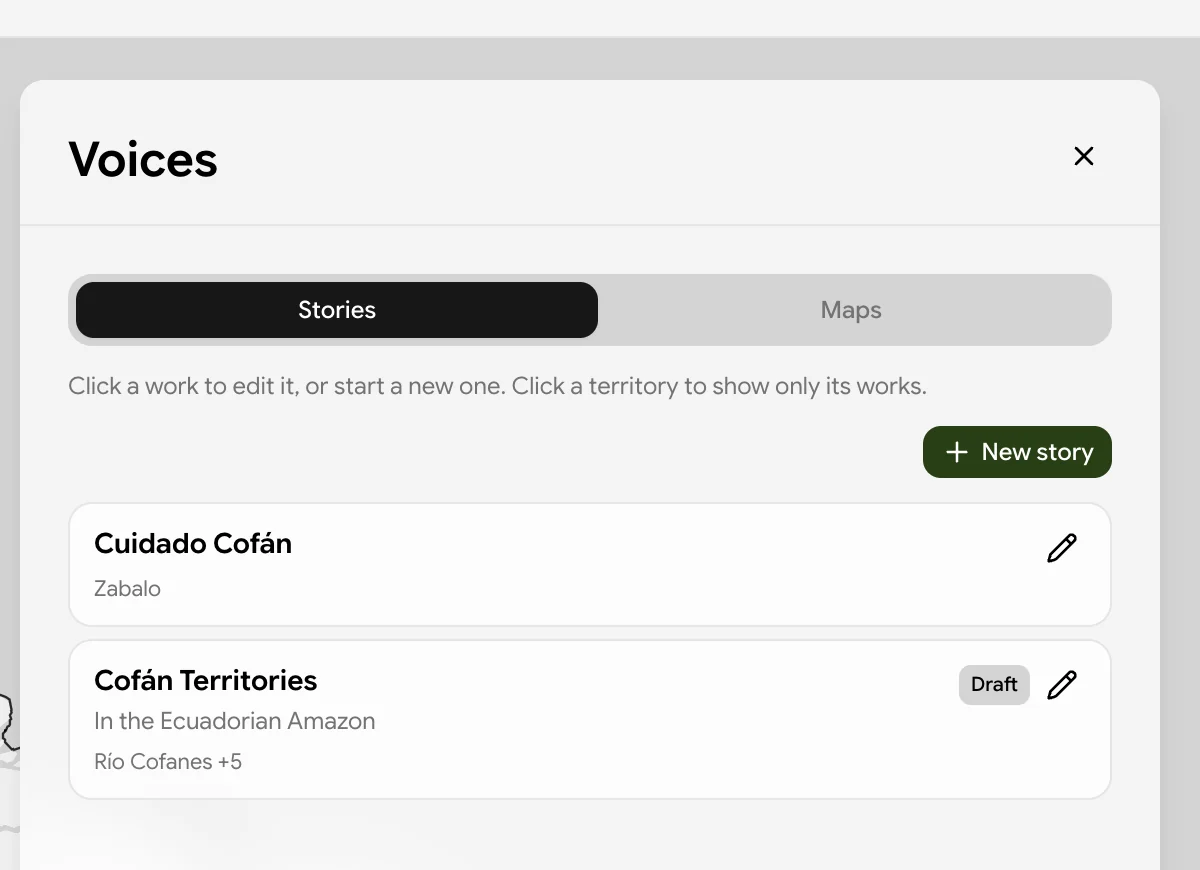
In the Create or edit lens, anything that is not public carries a badge, so your own drafts are distinguishable at a glance from what you have already published.
Publishing Needs No Approval
There is no review step. When an author sets a work to public, it is public.
This is the one contribution path in the Atlas that does not pass through validation. Metadata edits and new areas wait in a queue for a reviewer (Validation); community works do not enter that queue at all.
voices grant is the permission, issued once for the territories a community speaks for. A community does not seek approval per story or per map.The reasoning is set out in Data Sovereignty and Control: authority over what is said about a territory, and when, belongs to the community rather than to a reviewer. Routing community narrative through an approval queue would put that authority back in the Atlas, which is precisely what the CARE principle of Authority to control rules out.
Share Links
A work open in the View lens can be copied as a link with the share button, in the form:
https://<atlas host>/atlas?voices=<work id>
Opening that link puts the Atlas into Voices mode and goes straight to the work, with no navigation needed by the recipient.
That restriction is not an oversight. Access is enforced at the database level, so a link to a restricted work would resolve to not available for most of the people it was sent to — offering the link would promise something it could not deliver. If you need to share a work beyond the territory, move it to public first.
When a Link Does Not Resolve
A recipient whose link finds nothing sees a short explanation rather than an error, covering the two things that actually cause it:
- the work has been deleted since the link was created, or
- the work is only shared with people who have access to its territory
In the second case, signing in may be enough, if the reader's account holds access to that territory. The panel also offers the map below, so a dead link lands somewhere useful instead of nowhere.
Choosing a Tier
Some practical guidance:
| Situation | Tier |
|---|---|
| Still writing, or waiting on a community decision | Draft |
| Finished, but intended for the territory rather than the public | Community only |
| Ready to be read, cited, and linked to from outside | Public |
Because the setting is reversible, the safe default is to stay in draft and move outward deliberately. A work published early can be pulled back, but a link already circulating cannot be recalled.
Relationship to Open Data
The three tiers mirror the access levels the Atlas applies to all of its data — open, permissioned, and restricted — as described in Open Data. The difference is who decides. For most Atlas data, publication depends on validation status, contributor permissions, and governance context together. For community works, the author decides alone.